![Shaper-KB-Logo.svg]](https://support.shapertools.com/hubfs/Shaper-KB-Logo.svg)
The Barbell Template creates a barbell shape for inlays or other applications. The bells and the bar are adjustable but they will keep their shape as you scale it:
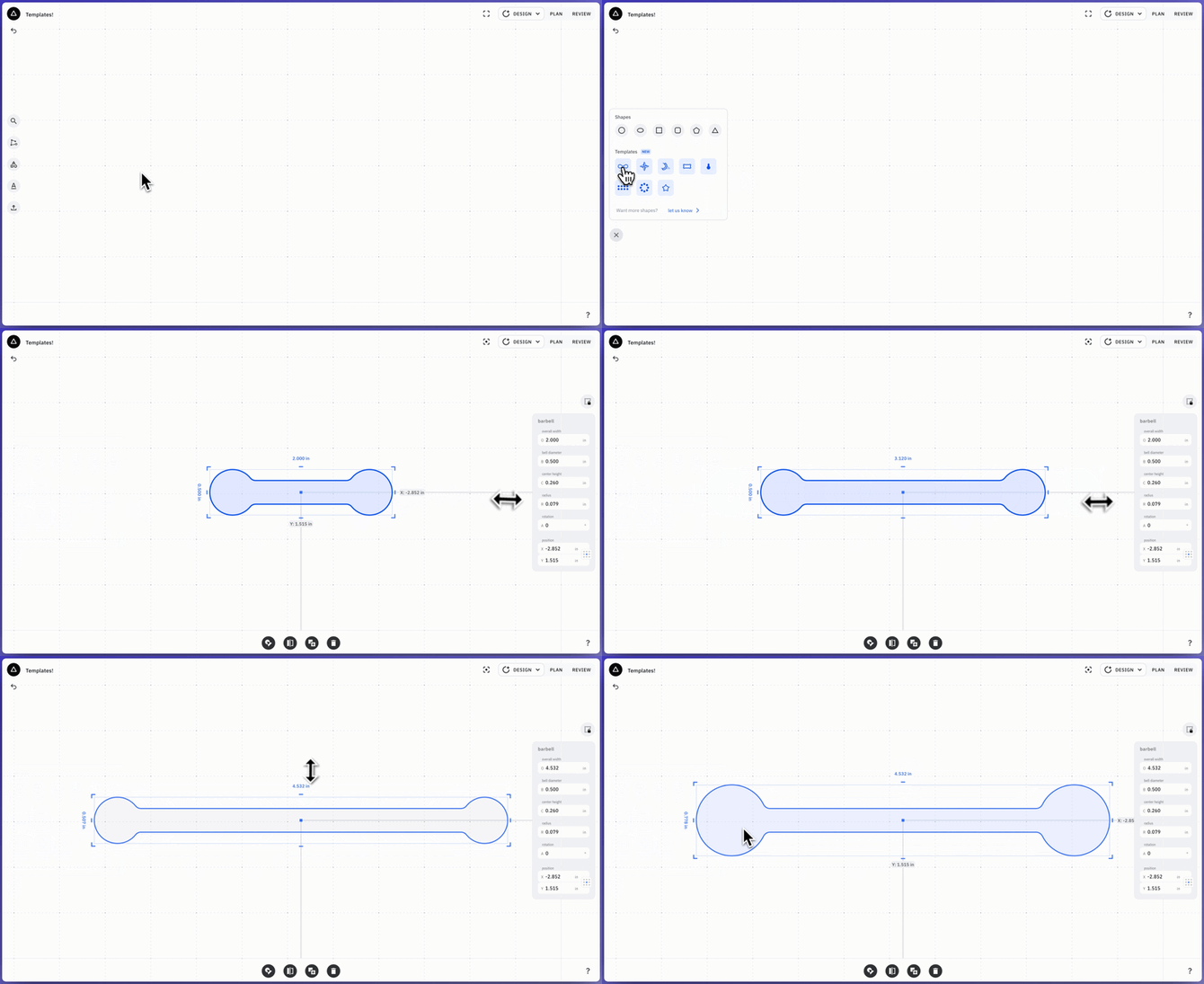
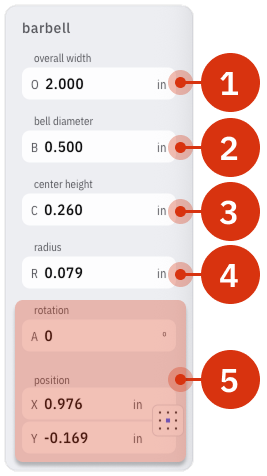
It can be adjusted based on these parameters:
- The Overall Width adjusts the width from the end of one bell tho the other
- Naturally, the Bell Diameter adjusts the diameter of the bell. This diameter can also be adjusted by scaling the object vertically
- The Center Height adjusts the thickness of the bar, with the maximum being the diameter of the bells. Resizing the object horizontally will adjust the length of the bar
- The Radius curves the corners to accomodate the radius of the cutter
- Rotation and Position changes the angle and location of the barbell on the Studio Grid
 Once the Barbell is drawn you can set it up to cut a Pocket/Inside Cut for the pocket and an Outside Cut for the insert.